
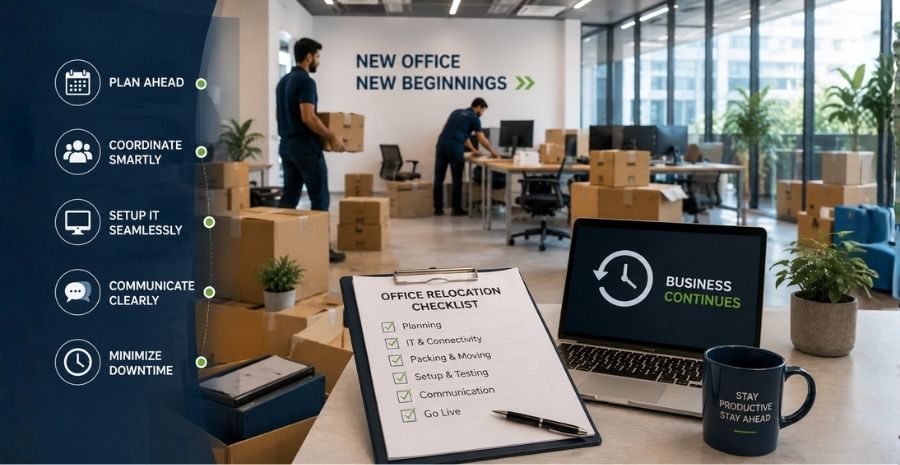
Office shifting can be a very exciting time for any growing business, but it can also be a challenging time. The biggest worry for most companies is the downtime that occurs during the transition. Every hour of downtime for your company means lost revenue, delayed projects, and unhappy clients.
For businesses operating in competitive markets such as Mumbai, Delhi, Bangalore, and other Indian metros, even a day’s downtime can have severe financial implications.
In this complete guide, we will show you tried-and-tested ways to reduce the hassle and make your office shifting process as smooth and efficient as it can be.
Understanding the Impact of Downtime During Office Relocation
Before you look at solutions, you must know what is at stake when your office relocates.
Financial Costs of Business Interruption
Downtime costs you money. When operations halt, revenue streams also come to a halt. Sales teams can’t close deals, customer service reps can’t solve queries, and production teams can’t meet commitments. Industry estimates suggest small and medium businesses can lose anything between Rs 50,000 and several lakhs every day, depending on the scale of operations. For bigger companies, the numbers can be even more staggering.
Employee Productivity Loss
Not only is downtime costly, but it also has a significant impact on employee productivity. If workers aren’t comfortable in their new workspace, don’t have the equipment they need, or face connectivity problems, they can’t be at their best. Poorly planned relocations can often create confusion and stress that can lead to low morale and efficiency for weeks after a move.
Client Relationship Risks
Your clients expect the same level of service no matter what changes are happening internally. Longer downtime can shatter the trust you have built over the years. Missed deadlines, unanswered calls, and delayed responses during your relocation period can push clients into the arms of competitors who are ready to serve them.
Start Planning Your Office Shift Early
Planning, and planning early and thoroughly, is the single greatest factor in minimizing downtime. Rushed decisions at the last minute almost always result in chaos and prolonged business interruption.
Create a Detailed Relocation Timeline
Plan ahead. Start three to six months before you’d like to move. Make a detailed schedule that breaks down each task into bite-sized pieces. Your timeline should include dates to finalize the new office space, coordinate with movers, set up utilities, transfer internet and phone connections, and update legal documents. A detailed timeline will help you not to miss important tasks that can lead to delays.
Form a Dedicated Relocation Team
Delegate certain duties to trusted members of the team to manage various aspects of the relocation. You may have one person on the IT infrastructure, one on vendors, one liaising with the moving company, and one on employee communications. If all the players know their roles and accountability, the whole process is more structured and efficient.
Set Realistic Goals and Milestones
Divide your moving project into phases with specific milestones. This can help you see how things are going and identify potential problems before they get worse. Setting achievable goals also helps to keep morale high in the team during what can be a stressful time.
Choose the Right Time for Your Office Move
Proper timing can mean less disruption to your business operations when you move offices.
Weekend and Holiday Relocations
By scheduling your physical move on weekends or public holidays, you can continue operating your business as usual during business hours. That may mean paying high moving company rates, but the revenue you save often makes up for it. In India, many businesses take advantage of long weekends such as Diwali, Holi, or Independence Day, when there is naturally less client activity, to successfully execute moves.
Phased Moving Approach
Instead of moving everything out all at once, you might want to think about doing it in stages. One department at a time. The rest work from the old location. This approach guarantees your business never goes dark. For example, you may move your administrative team first, then sales, then operations. Each department can be set up and working before the next group arrives.
Consider Business Cycles and Peak Seasons
Every business has its busy and quiet times. Plan your move during your slowest time when the effect of any disruption will be the lowest. A retail business may not want to move during the holiday season, and an accounting firm would not want to move during tax season.
Communicate Effectively with All Stakeholders
Clear and timely communication avoids uncertainty and prepares everyone for the transition.
Keep Employees Informed and Involved
You should first tell your employees about any plans to relocate. Hold regular meetings to update them on progress, address concerns, and gather feedback. Give employees as much detail as possible about the new location, including commute options, nearby amenities, and parking facilities. Employees are involved in the process and become partners in making the transition, rather than obstacles to be overcome.
Notify Clients and Vendors in Advance
Inform your clients, suppliers, and business partners 1 month before the move. Email official notifications, update the website, and make phone calls to key accounts. Send them your new address and contact information, and let them know that service delivery will continue without interruption. This kind of forward communication builds confidence and helps avoid misunderstandings.
Update Your Business Address Everywhere
Write down a checklist of all the places your business address is listed and go through each one to update it. This includes your website, Google My Business listing, social media accounts, business cards, letterheads, invoices, government registrations, bank accounts, and vendor databases. Missing even one critical update means lost correspondence and business opportunities.
Prepare Your IT Infrastructure in Advance
Technology is the backbone of modern business operations, and IT-related issues are one of the most common causes of extended downtime when moving offices.
Backup All Critical Data
Make sure all important data is backed up securely before moving any equipment. Make use of the cloud and physical backup drives so that your data won’t be lost. This precaution is necessary because equipment can be damaged in transit, and having secure backups means you can quickly restore operations even if hardware fails.
Set Up Internet and Phone Systems Before Moving Day
Call your Internet service provider and telephone company ahead of time to schedule installation at your new location. Ideally, these services should be up and tested prior to your official move date. Keep your old connection for a few extra days to allow for overlap; this will provide a safety net if there are any delays in the new setup.
Test Equipment at the New Location
If possible, install necessary infrastructure (servers, computers, telephony) at the new location a few days ahead of the complete move. Perform extensive testing to find and fix any problems. This advanced setup allows your IT team to resolve problems without the pressure of the chaos of moving day.
Work with Professional Office Relocation Services
You might be tempted to handle the move in-house to save money, but professional movers have the expertise to substantially reduce downtime.
Benefits of Hiring Experienced Movers
Professional office movers have the experience, tools, and manpower to get the job done fast. They know how to pack sensitive equipment, move heavy furniture safely, and set up your new office quickly. In cities such as Gurgaon, Pune, and Chennai, there are plenty of companies that specialize in corporate moves and can accomplish in hours what your team might take days to do.
What to Look for in Office Relocation Companies
Opt for a moving company that has specific expertise in office moves, not just residential ones. Look at their credentials, read customer reviews, and ask for references from businesses like yours. Make sure they offer insurance coverage for your equipment and have a plan for fragile items such as computers and servers.
Insurance and Liability Coverage
Make sure your selected moving company has proper insurance to help cover any potential damage to your property. Also, review your own business insurance policy to see what it covers during the move. This financial protection brings peace of mind and helps avoid unexpected costs in case something goes wrong.
Before finalizing your relocation budget, it’s also a good idea to estimate your overall office moving expenses. Use the Moving Solutions Packers and Movers Cost Calculator to get an approximate estimate based on your office size, relocation distance, and moving requirements. Knowing your expected moving cost in advance helps you plan your budget more effectively and avoid financial surprises during the relocation process.
Create a Day-by-Day Moving Schedule
To coordinate everyone involved and keep things on track, plan a detailed schedule for the days leading up to your move.
Pre-Move Activities
Complete all packing a week before the move. Clearly mark boxes by department and priority. Disconnect non-essential equipment. Do a final walk-through of the new space. Do a complete cleaning and minor repairs at the new office and move directly into a ready workspace.
Moving Day Operations
Designate specific roles for the team members who will be on hand for the move. Have someone watching over at both the old and new locations to work with the movers and make sure nothing is forgotten. Ensure that vital items, such as important documents, laptops, and immediate-use supplies, are kept separate and carried with you personally, not with the main shipment.
Post-Move Setup Priorities
When you get to the new location, your first thing is to get the critical systems running. Before you worry about decorative elements or non-urgent areas, set up internet connectivity, phone lines, and essential work stations. Focus on the departments that are directly making money or serving the customer.
Minimize Disruption to Daily Operations
You can plan all you want, but there will be some disruption. The trick is to deal with it the smart way.
Set Up Temporary Workstations
If there is no immediate space available in your new office, arrange for temporary workspaces. This might be co-working areas, remote working arrangements, or even a skeleton crew with laptops in the new location as the setup progresses. The objective is to make sure that critical functions can still function, even if the whole office isn’t working.
Enable Remote Work Options
With today’s technology, many employees can work from home during this transition. Give your team laptops, VPN access, and cloud-based tools so they can continue to be productive from home or other temporary locations. This agility can cut downtime to nearly nil for knowledge workers.
Prioritize Critical Business Functions
Identify what absolutely must be continued and what can be suspended for a while. Put customer service, sales support, and urgent project deliverables first, and push back on internal meetings, training, and admin work that can wait a couple of days.
Conclusion
For minimizing downtime in office shifting, you need to plan well, pick the right time, communicate effectively, and execute professionally. By starting your preparations early, selecting the appropriate moving partners, preparing your technology infrastructure in advance, and keeping open lines of communication with all stakeholders, you can greatly reduce the disruption to your business operations.
The investment in planning and professional office shifting services will pay for itself many times over in a preserved revenue stream, maintained client relationships, and sustained employee productivity. Whether your office is moving across the street or across the country, the strategies outlined in this guide will make sure your move is a success story, not a cautionary tale.
Start planning your office shift today with these tried-and-tested strategies, and turn a potentially chaotic disruption into a seamless transition that puts your business on the path to continued growth in its new location.

A copywriter, blogger, content strategist by profession, and an information junkie by heart. I have a penchant for reading, researching, writing, and anything related to creating persuasive content. For me, writing is something that ignites my creativity and helps in keeping me on cloud nine. I have been working in the content writing domain since 2006. Be it blogging or copywriting, I create better content that fuels conversations and skyrockets search traffic.